UniFiOS captive portal splash page setup
Enable hotspot
Edit your WiFi network
In Advanced, choose MANUAL
Tick "Hotspot portal" to reveal the "hotspot portal" link:

(NOTE: You may wish to click and configure the "hotspot portal" before you enable the portal on the SSID. If so just choose "Leave" when clicking. You can come back to this and enable later)
Click "hotspot portal"
You will see 3 option tabs:
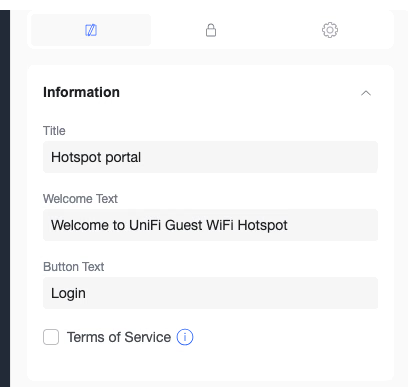
Click the padlock icon (2nd tab)
Choose External Portal Server and click edit:
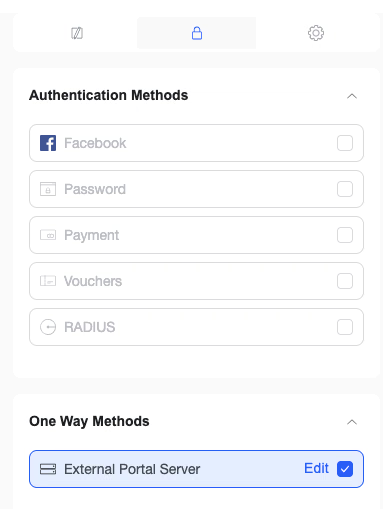
Enter the IP: 116.202.86.187
(NOTE: UniFi will not use this IP, since on the next step we'll choose "domain". However this is currently a required step)
Save your settings
Click the settings option (3rd tab)
Configure the settings as follows:
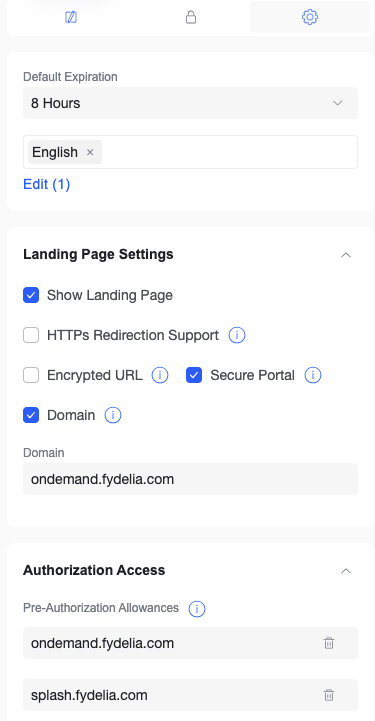
Save these settings
To enable the hotspot, just enable it on the WiFi settings screen:

This completes the UniFi settings. Now you need to set a few configuration options in your Fydelia splash page