How to add an Account user to your Account
To add an account user to your account you need to:
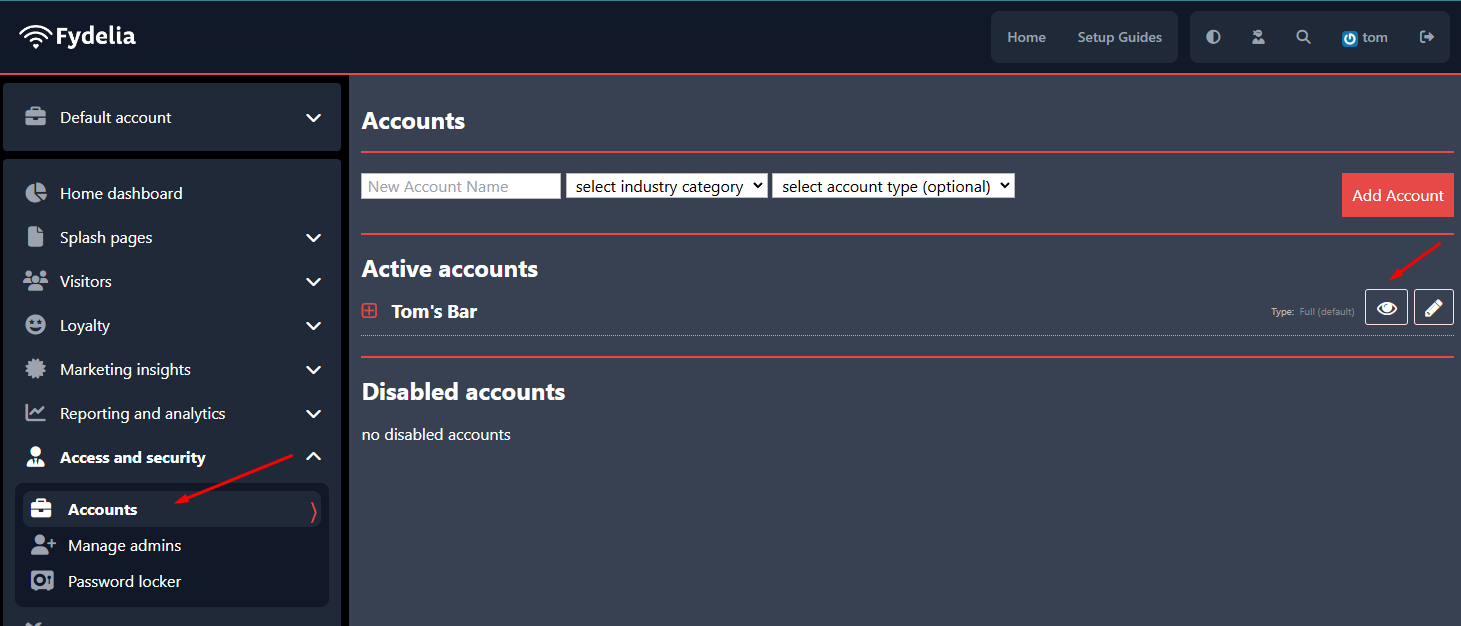
- Go to ACCOUNTS
- Click on the Eye icon to view the account details
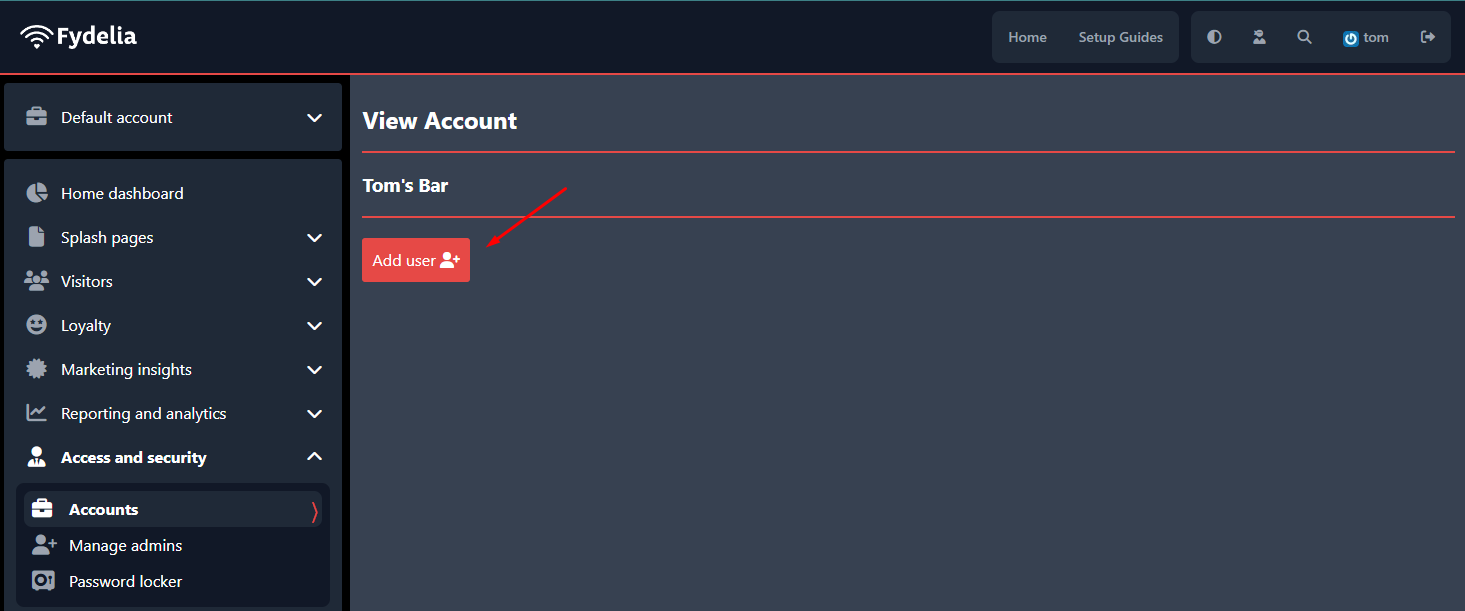
- Click ADD USER:
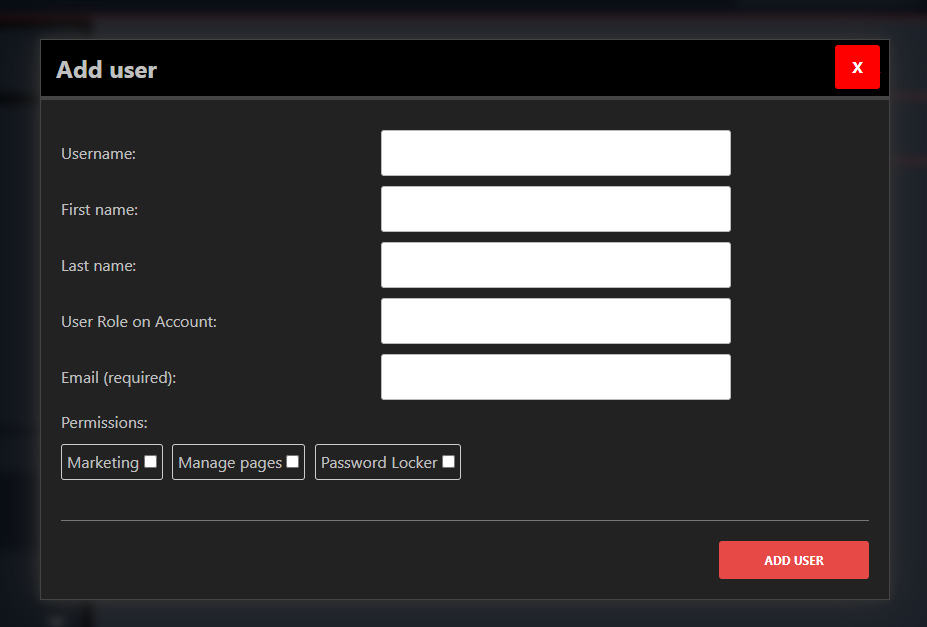
- Enter the details for the New Account User and when done click on ADD USER
- You have now successfully added a new account user to your account!